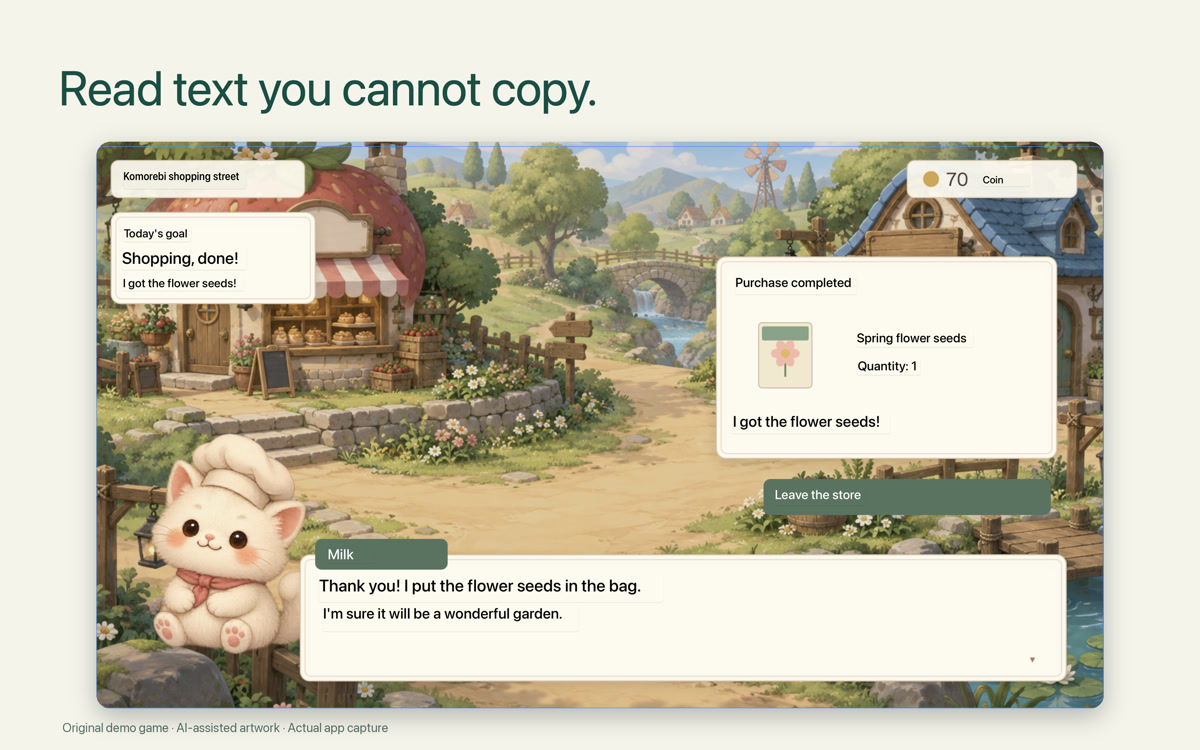
Read in place
See translated dialogue over the original game window.
Screen translation for Mac
Select text in a game, image or document. Read the translation right where it appears.
One-time purchase · No subscription
See your local price on the App Store.
macOS 15+ · Apple silicon & Intel · Screen Recording permission required. Download language packs once for offline use. Setup & compatibility
Draw around the screen text you want to read.
See the translation over your existing window.
Follow changing screen text while you keep watching or playing.
See translated dialogue over the original game window.

Read dialogue and screen text in their original place.
On-device translation. No account needed. Download language packs once for offline use.
ViewLingo reads the text you see on screen, not spoken audio. Your language list comes straight from macOS, and once a language pack is downloaded, translation works offline.
Drag a viewfinder across the article, the same way you would on your Mac.
Illustrated interaction demo — not a live translation engine.
ViewLingo supports languages available in both Apple text recognition (OCR) and Translation on your Mac. Available languages depend on your macOS version.
ViewLingo walks you through downloading each language pack once (you can also manage them in System Settings › General › Language & Region › Translation Languages). After that, translation runs entirely offline.
To see the exact list for your Mac, open ViewLingo's settings — it reads the languages from macOS directly.
Press fn + Control + Option and drag over any text on your screen: games, videos, websites, documents or apps. Move or resize the viewfinder and the translation follows.
Translations are drawn over the original text, fitted to its layout and colors. No copying, no switching between apps.
Every language that both your Mac's text recognition and Apple Translation support, so the list grows with macOS.
No round-trips to a server. Translation runs locally on your Mac — without sending your screen content to a server.
Follows changing text in video subtitles, games, slides and live streams, and holds steady when the screen doesn't change.
Recognizes and translates vertical Japanese, Chinese and Korean text, from manga panels to signs.
Translations automatically adjust font size for optimal readability, even when translated text is longer than the original.
Live, Retry and Close sit just outside your selection, so they never cover the text you're reading.
Your content never leaves your Mac. All translations happen on-device using Apple's built-in translation engine.
After the required language packs are downloaded, translation runs locally without an internet connection.
No account, no analytics, no tracking. We never receive your screen content or translations; your history stays on your Mac.
Uses Apple’s translation engine on your device. Available languages depend on your Mac.
Available on the Mac App Store.
Select text in a game, image or document. Read the translation right where it appears.
See your local price on the App Store.
Requires macOS 15.0 or later · Apple silicon and Intel